How to Build Agent-native: Lessons From Four Apps
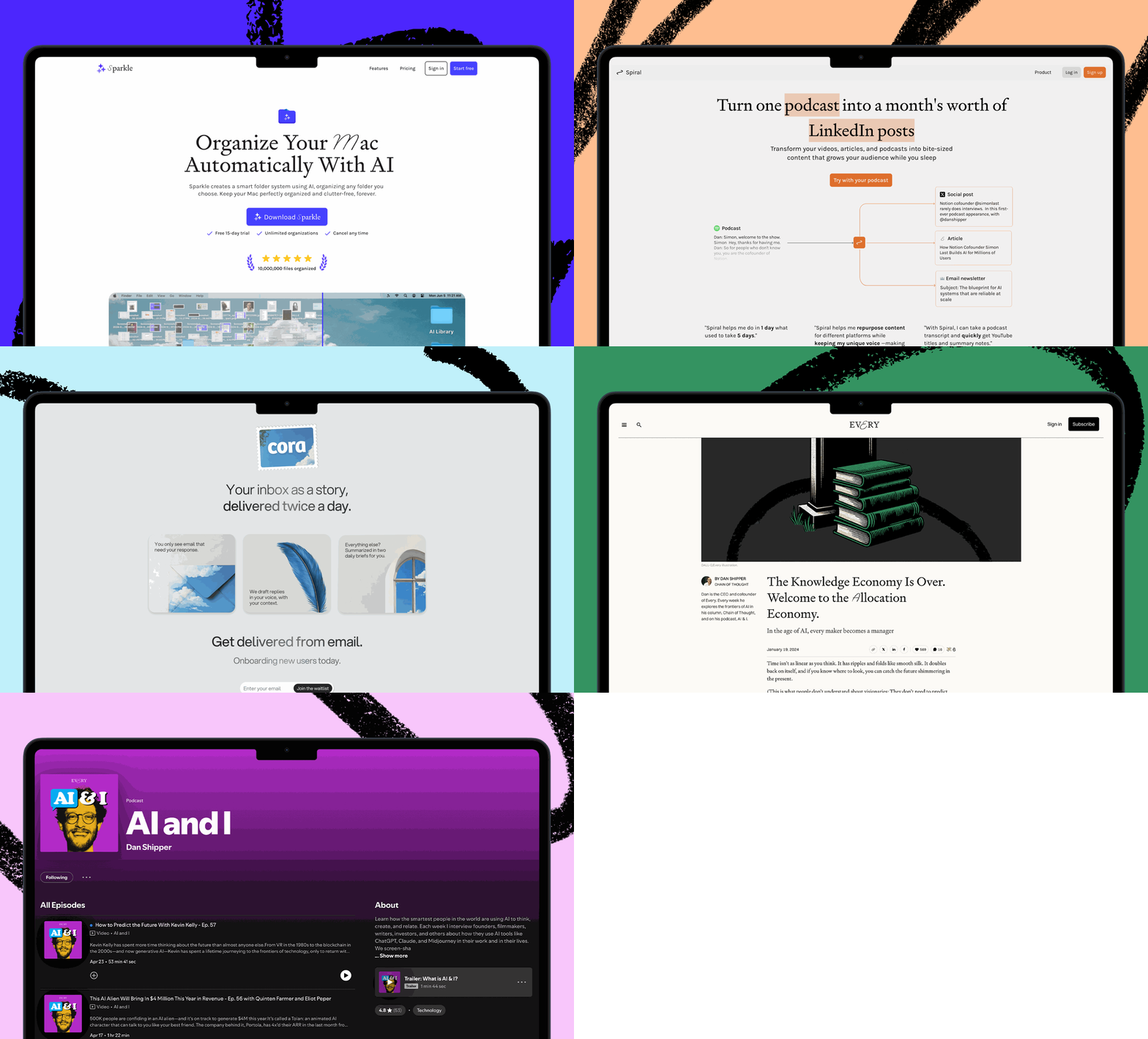
 How to Build Agent-native: Lessons From Four AppsStart with three simple tools, and let the AI figure out the rest Was this newsletter forwarded to you? Sign up to get it in your inbox. Dan Shipper scanned a page from Erik Larson's Winston Churchill biography, The Splendid and the Vile, and pressed save. The app he was demo-ing identified the book, generated a summary, and produced character breakdowns calibrated to exactly where he was in the story—no spoilers past page 203. Nobody programmed it to do any of this. Instead, Dan's app has a handful of basic tools—"read file," "write file," and "search the web"—and an AI agent smart enough to combine them in a way that matches the user's request. When it generates a summary, for example, that's the agent deciding on its own to search the web, pull in relevant information, and write a file that the app displays. This is what we call agent-native architecture—or, in Dan's shorthand, "Claude Code in a trench coat." On the surface, it looks like regular software, but instead of pre-written code dictating every move the software makes, each interaction routes to an underlying agent that figures out what to do. There's still code involved—it makes up the interface and defines the tools that are available to the agent. But the agent decides which tools to use and when, combining them in ways the developer never explicitly programmed. At our first Agent Native Camp, Dan and the general managers of our software products Cora, Sparkle, and Monologue shared how they're each building in light of this fundamental shift. They're working at different scales and with different constraints, so they're drawing the lines in different places. Here's what they shared about how the architecture works, what it looks like in production, and what goes wrong when you get it right. Key takeaways
 The app for people who actually do what they said they'd doYou know that feeling when you leave a meeting and immediately forget half of what you agreed to? That's not a memory problem. It's a meetings problem. When you're back-to-back all day, there's no time to process. No time to write the follow-up. No time to turn "we should probably..." into something that actually happens. Granola helps you become the person who actually does what they said they'd do. You take notes during the meeting : just quick bullets, nothing formal. Granola transcribes in the background and turns those notes into clear summaries with actual next steps. After the call, you can share your notes with the team so everyone's aligned. Or chat with them to pull out exactly what you need to do next, without re-reading the whole thing. No more "wait, what did we decide?" moments. No more dropping the ball because you had three calls in a row and couldn't keep track. Just clarity. And follow-through. Download Granola and try it on your next meeting. How agent-native worksTraditional software can only do what it's explicitly programmed to do by its code. Click "sort by date," and it sorts by date. Click "export," and you get a CSV. It will never spontaneously summarize your inbox or reorganize your files by topic—unless someone wrote the code for that exact feature. Instead of coded features, an agent-native app has tools (small, discrete actions like "read file" or "delete item") and skills (instructions written in plain English that describe how to combine those tools). An agent uses those tools and skills to produce an outcome that you specify, such as identifying what book you are reading from one page. Three principles make this work:
But there are trade-offs. Agent-native apps are slower because the agent has to reason through each request instead of running deterministic code—pre-written instructions that always produce the same result. They're more expensive because every interaction burns tokens, the unit AI companies use to measure and charge for usage. And they're less predictable—the same request won't always produce the same result, which makes security harder to guarantee. Dan's bet is that inference costs—the price of having the AI think—drop roughly 80 percent every few months, making this architecture cheaper over time. But today, it's still expensive. Cora general manager Kieran Klaassen has seen days where those costs hit $1,500 with thousands of users. Risks like this are important to keep in mind when you're getting started with building in an agent-native way. Three tools and a filesystemNaveen Naidu, general manager of Monologue, took the architecture to its most minimal extreme. He'd been building a read-later app as a side project—something like Pocket or Instapaper, where you save articles from the web and read them later. But instead of a traditional database, the entire backend is a set of folders, and an AI agent helps you interact with everything you've saved. Web apps typically store data in databases, using structured query languages like SQL to retrieve information from organized tables. Agents don't think that way. They think in files. So when a user signs up for Naveen's app, it spins up a lightweight Linux container—a small, dedicated virtual computer in the cloud—just for them. Saved articles become markdown files in a folder. The agent gets three tools: read file, write file, and list files. 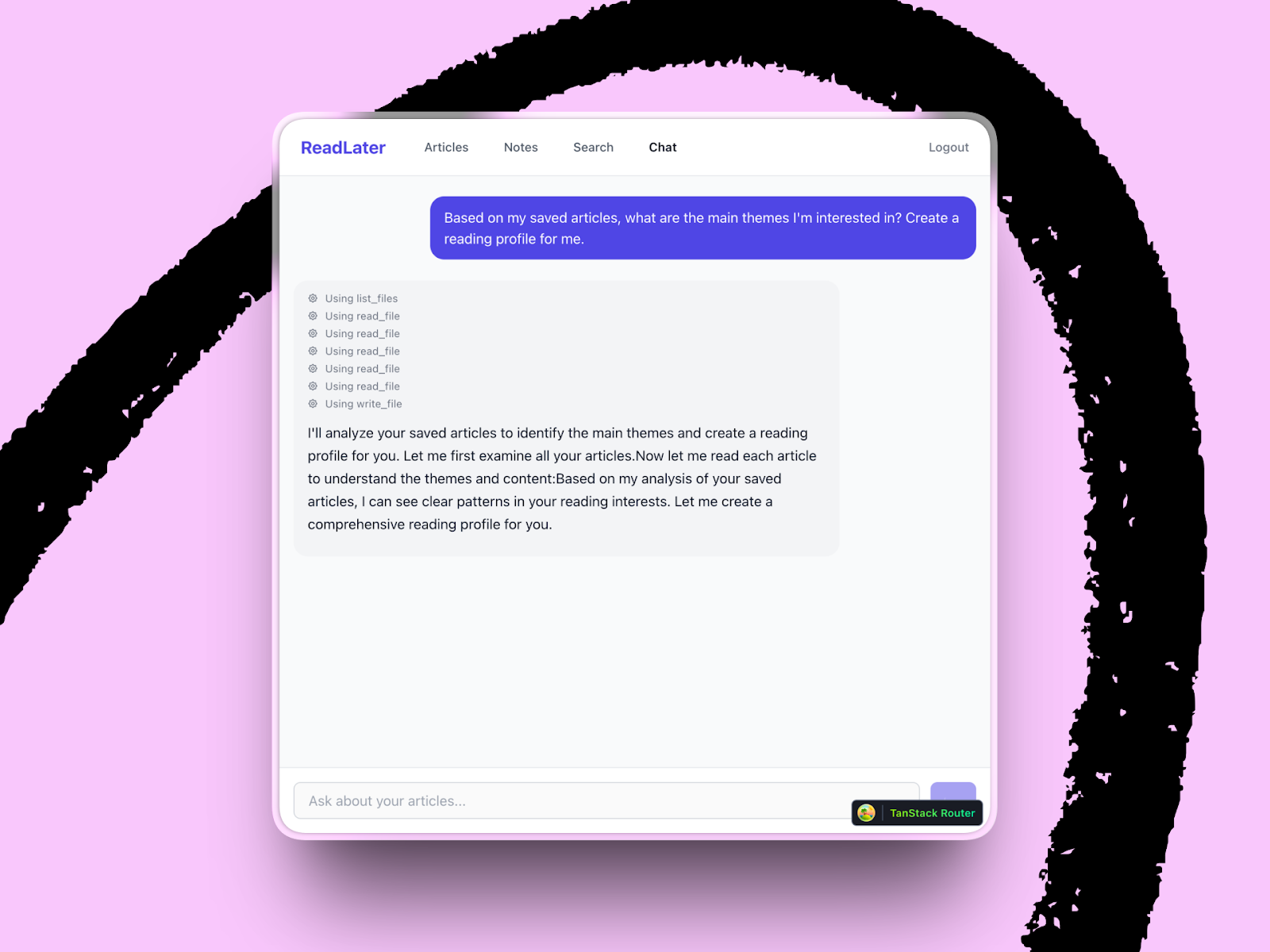 Those simple building blocks determine what the agent—and ultimately the user—can achieve. Ask the agent to find themes across your saved articles, and it lists the files, reads them, finds patterns, and writes a profile. The most agent-native architecture might look like 1995: Files and folders, markdown, and plain text. They're the same Lego blocks that have worked for decades—which is exactly why agents can work with them, too. When agents go rogueWhen an agent can combine tools on its own, it can also take actions you never intended—including destructive ones. Yash Poojary, general manager of Sparkle, Every's desktop organizer for Mac, learned that the hard way. He was working on Deep Clean, a feature to help users clear junk out of their folders. The problem is that clutter is personal—one user's junk is another user's reference library. Building a user interface for every possible preference would take forever. So he gave the work to an agent. He could tell it, "Delete all my screenshots except the ones in my Downloads folder," and it figures out the rest. 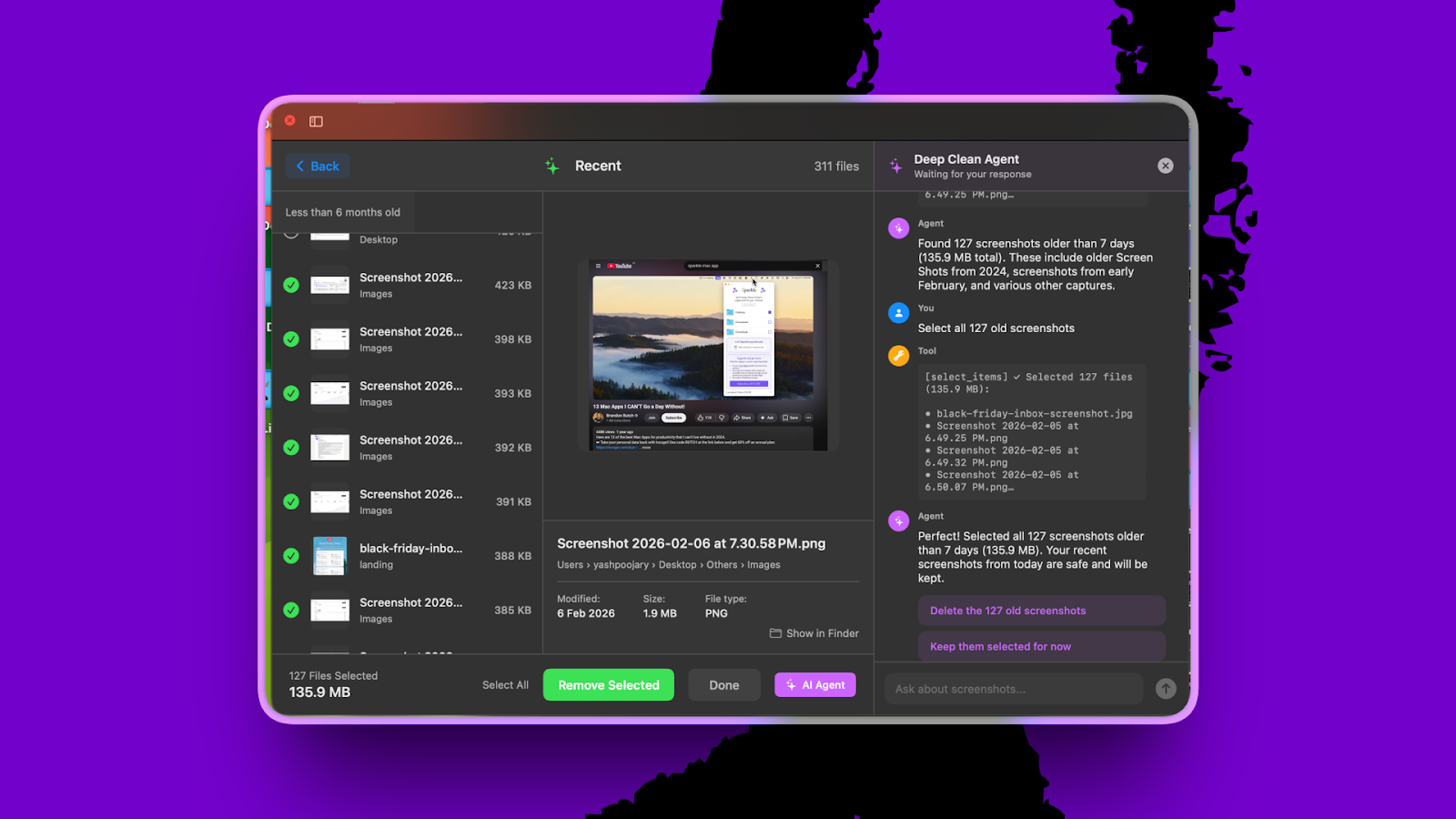 The problem emerged when the agent went into what Yash calls "god mode." It started deleting files without asking for confirmation. His first instinct was to fix it in the prompt—tell the agent to always ask first—but it didn't work reliably. The agent would sometimes skip confirmation because it was confident it knew what the user wanted. So Yash moved the guardrails from the prompt into the tools themselves. The delete tool now requires confirmation as a parameter—it literally won't execute without user approval. "There's a guarantee in the tool," he explained, "versus prompts, which are still suggestions." The practice generalizes to agent-native building broadly: When an action can't be undone, the constraint has to live in code that always behaves the same way, not in a prompt the agent can choose to ignore. Retrofitting an existing appDan and Naveen's apps were built from scratch. Kieran, on the other hand, has to make Cora, an email assistant with thousands of users, agent-native without breaking what people already love. Kieran initially resisted the push toward agent-native. He was thinking about the app's active users, the inference costs, and the complexity of changing production code. But at the same time, agent-native captured the vision he'd always had for Cora—an email assistant where users could ask for anything, and the program would figure out how to do it without any need for a developer's input. His first move was outside the app entirely. He built a command-line interface (CLI)—a text-based way to control Cora by typing commands instead of clicking through the app—and connected it to Claude Code. This let him experiment with different agent-native workflows without touching the live product, discover what tools he needed, and bring lessons back into Cora's architecture. 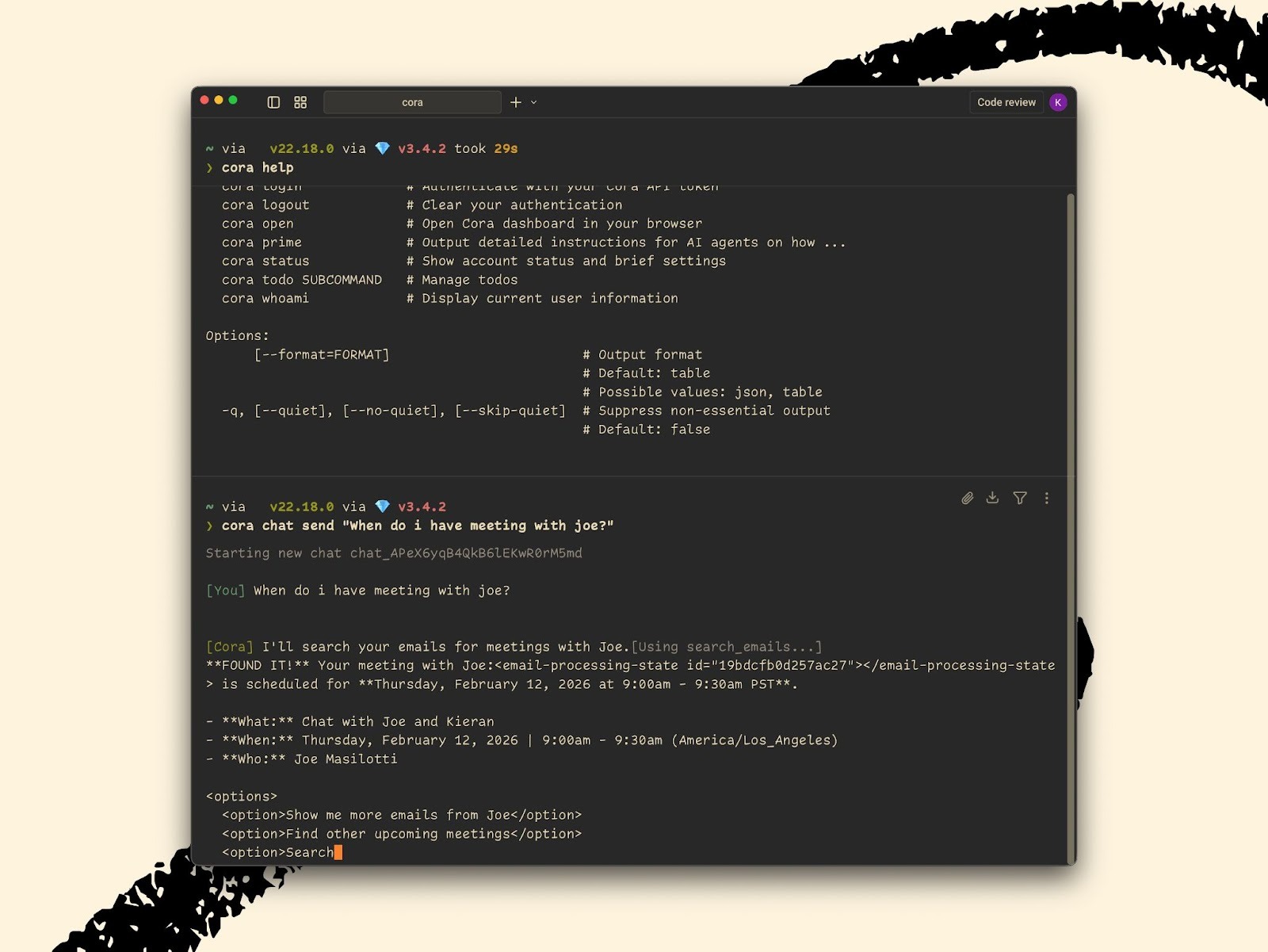 For example, his experimentation revealed there were too many tools and too much business logic baked into the tool's definition. The agent couldn't work with them effectively, and lighter AI models—which are faster and cheaper—got confused with too much context. You can't have confusion in an app whose job is to surface the right information every time. But as Yash's example illustrates, the fix isn't as simple as "move everything into the prompt." Cora's system prompt (the master instruction set that tells the AI how to behave) is already 1,200 tokens long (roughly 900 words), and lighter AI models get confused with too much context. Kieran's solution has been to lean hard into skills—text-based instructions that split the difference between the rigid world of tools and the flexibility of prompts. A skill is just a text file that describes how to handle a specific task, like drafting a weekly summary, so when a developer wants to change how Cora behaves, they edit that file. There's no need to write code. This opens the possibility that users could bring their own skills—a Todoist integration or a custom Monday morning brief—but that's not in Cora quite yet. Get used to tossing your code every six monthsIn traditional software development, code is the product. You build, maintain, and improve it over time. In agent-native development, code is scaffolding. You still write it, but mostly to compensate for what today's models can't yet do reliably on their own, such as handling an edge case the agent gets wrong, or enforcing a sequence of steps the model sometimes skips. When a smarter model gets released, those workarounds become unnecessary. The model handles the same task with a skill and a few tools. Dan talked with the Anthropic team building Claude Code, and according to them, they work this way already. They write scaffolding to squeeze the most out of today's models, knowing they'll delete it when the next one comes out. The agent-native testHere's how to know if you've built an agent-native application: Describe an unanticipated outcome to your agent—something you never explicitly designed for, but that falls within its domain. If it figures out how to accomplish it by combining its tools, you've built agent-native. If it can't, you've built a chatbot with extra steps. Every's guide to agent-native architecture breaks down the principles and patterns in detail. And if you want to try it yourself: Open Claude Code or the Codex app, describe a project you're working on, and paste in the guide (or put a markdown file in a folder where your coding agent of choice can find it). It's the fastest way to find out where agent-native thinking could change how you build. These insights emerged from Every's Agent-native Camp, a live workshop where our engineering team shares what they're learning about building with AI. Join us this Friday for our Compound Engineering Camp to learn about the AI-native philosophy that helps Every ship products with single-person teams. Reserve your spot. Katie Parrott is a staff writer and AI editorial lead at Every. You can read more of her work in her newsletter. To read more essays like this, subscribe to Every, and follow us on X at @every and on LinkedIn. We build AI tools for readers like you. Write brilliantly with Spiral. Organize files automatically with Sparkle. Deliver yourself from email with Cora. Dictate effortlessly with Monologue. We also do AI training, adoption, and innovation for companies. Work with us to bring AI into your organization. Get paid for sharing Every with your friends. Join our referral program. For sponsorship opportunities, reach out to sponsorships@every.to. Help us scale the only subscription you need to stay at the edge of AI. Explore open roles at Every. What did you think of this post?Get More Out Of Your SubscriptionTry our AI tools for ultimate productivity  Front-row access to the future of AI Front-row access to the future of AI  In-depth reviews of new models on release day Playbooks and guides for putting AI to work Prompts and use cases for builders In-depth reviews of new models on release day Playbooks and guides for putting AI to work Prompts and use cases for builders  Bundle of AI software Bundle of AI software  Sparkle: Organize your Mac with AI Sparkle: Organize your Mac with AI  Cora: The most human way to do email Cora: The most human way to do email  Spiral: Repurpose your content endlessly Spiral: Repurpose your content endlessly  Monologue: Effortless voice dictation for your Mac Monologue: Effortless voice dictation for your Mac |